

- Upload content, ask questions in natural language, and get structured outputs such as summaries, charts, transcripts, images, and code snippets
- Index, analyze, and provide insights to your personal files while maintaining privacy
- Pull in public source data and information for your questions, queries, or requests
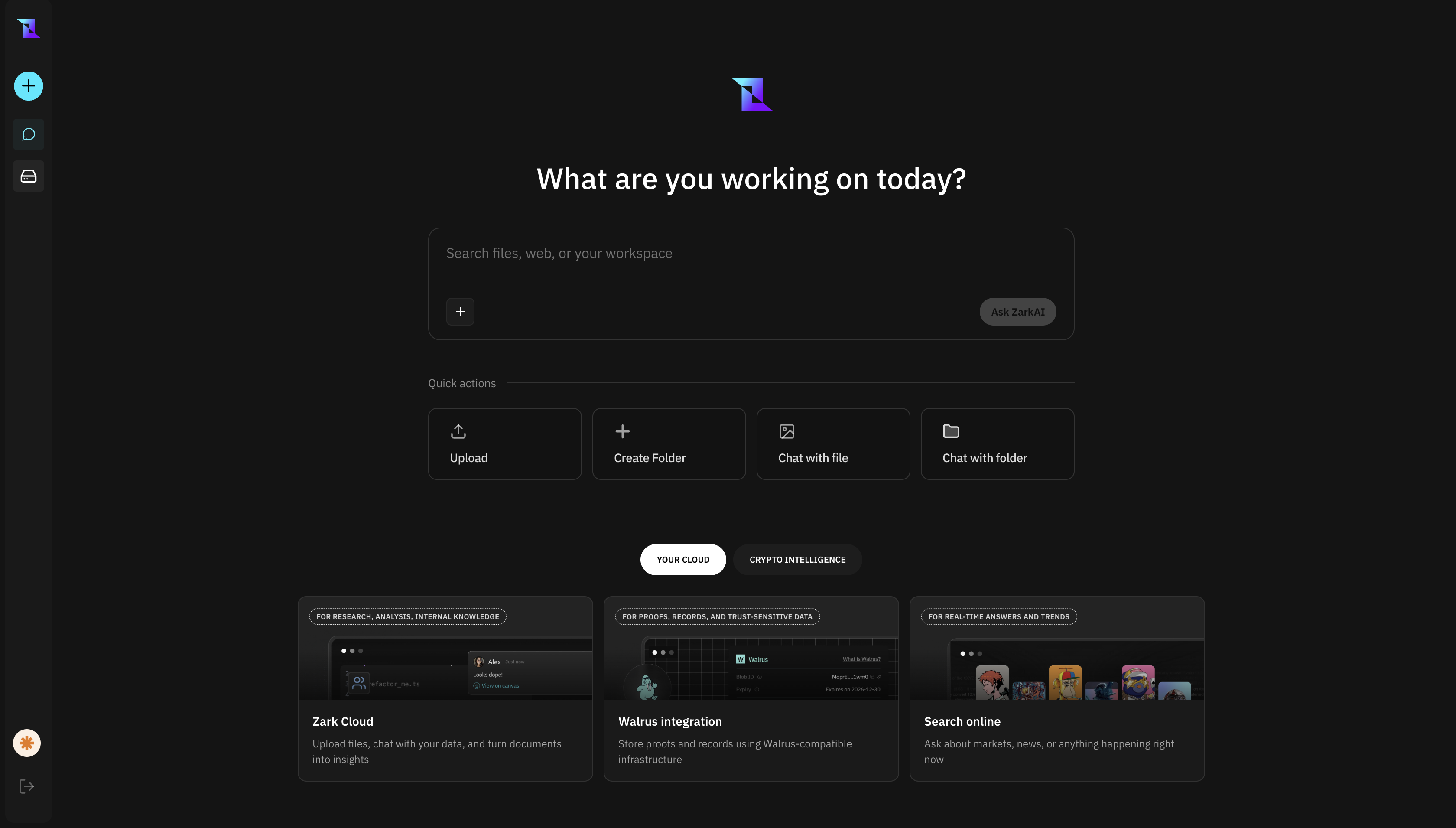
Zark AI Interface
- Analyzing spreadsheets and documents
- Transcribing audio and video
- Searching large content libraries
- Querying on-chain data (wallet activity, token metrics)
What You Can Do with Zarklab
- Index, analyze, and provide insights to your personal files while maintaining privacy
- Pull in public source data and information for your questions, queries, or requests
As a Consumers
- Analyze wallets - Get risk scores, counterparty analysis, and transaction patterns
- Visualize token data - Interactive charts, graphs, and tables for crypto metrics
- Store and organize files - Upload files with AI-powered tagging and search
As an Enterprises
- Massive archive management - Store billions of files with AI auto-tagging
- Searchable archives - Find specific content instantly across massive collections
- Decentralized storage - Secure, scalable storage on Walrus
- Team collaboration - Shared workspaces for enterprise workflows
Core Capabilities
Conversational Data Analysis turns your spreadsheets and data files into queryable databases. Upload a CSV, Excel file, or JSON dataset, then ask analytical questions as if you were talking to a data analyst. Zark AI writes the appropriate queries, executes them against your data, and explains what the results mean. Document Intelligence reads and understands your PDFs, Word documents, presentations, and other text-based files. Unlike simple keyword search, Zark AI comprehends the content, meaning you can ask conceptual questions, request summaries, or find information described in different words than what appears in the document. Visual Understanding applies AI vision to images, screenshots, charts, and graphics. Upload a photo and Zark AI describes what’s in it, extracts any text, identifies objects, reads data from charts, and answers questions about visual content. Media Processing handles audio and video files with transcription and analysis. Recordings are converted to searchable, timestamped transcripts with speaker identification. For video, visual analysis complements the audio transcript, capturing what’s shown as well as what’s said. Image Generation creates new images from text descriptions. Describe a logo concept, a product visualization, an illustration for a presentation, or any visual you can imagine, and Zark AI generates it. Web Research extends beyond your uploaded files to find current information from across the internet. When you need external context, market data, competitive information, or anything not contained in your files, Zark AI searches the web and synthesizes findings from multiple sources.Getting Started
1
Start with a question or file
Type a question in natural language or upload a file to begin. You can ask about blockchain data, upload documents, or query your own files.
2
Zark AI detects and processes
Zark AI automatically detects what you’re working with—whether it’s a spreadsheet, document, image, or blockchain query—and chooses the best approach to help you.
3
Get instant answers
Receive structured responses including summaries, charts, tables, code snippets, or visual outputs tailored to your question.
Example
Upload a sales report and ask “What were our top-selling products last quarter?” or drop in a PDF and request “Summarize the key points from this document.” Zark AI figures out what you need and delivers the answer.
Upload a sales report and ask “What were our top-selling products last quarter?” or drop in a PDF and request “Summarize the key points from this document.” Zark AI figures out what you need and delivers the answer.